
 is an interactive and website/web-server log analyzer tool currently better than the ApacheTop interface. It provides fast and valuable HTTP statistics for system administrators that require a visual server report on the fly. It also supports both the Apache and Ngnix log formats. It includes the following feature.
- * General Statistics, bandwidth etc.
* Top Visitors
* Requested files
* Requested static files, images, swf, js, etc.
* Referrers URLs
* 404 or Not Found
* Operating Systems
* Browsers and Spiders
* Hosts, Reverse DNS, IP Location
* HTTP Status Codes
* Referring Sites
* Keyphrases
* Different Color Schemes
* Unlimited log file size
Installing GoAccess on Centos / RHEL / Fedora
Installation can be done either via the source or rpm (rpms are available ). Before going with the installation you need to install the following dependency packs(under root login).
- # yum install ncurses-devel glib2-devel GeoIP*
- # cd /usr/src
- # wget http://sourceforge.net/projects/goaccess/files/0.4/goaccess-0.4.tar.gz/download
- # tar zxvf goaccess-0.4.tar.gz
- # cd goaccess-0.4
- # ./configure
- # make; make install
And once installed just execute goaccess command without any options to list the help menu
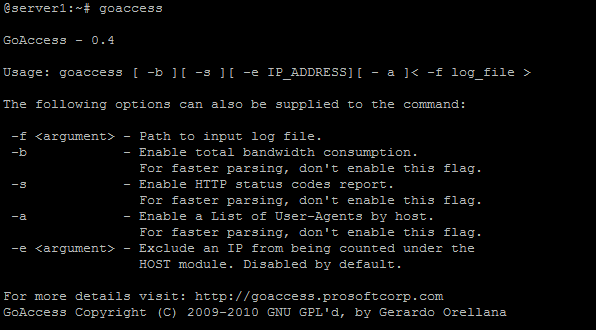
GoAccess Help
Use the below command to monitor the web-erver/site access logs. For example
- # goaccess -f /var/log/httpd/gnutoolbox.com
Installation instructions for SUSE , Debian , FreeBSD can be found here
Screen-caps
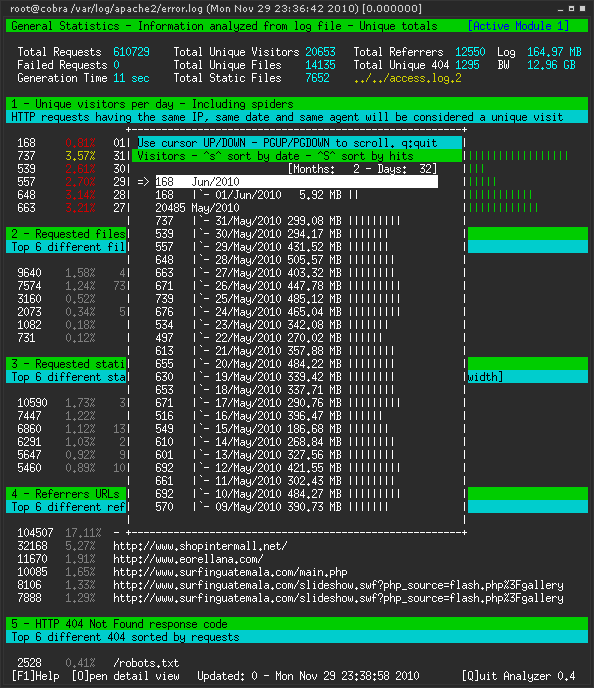
Goaccess Screenshot
Useful links :
GoAccess Home page : Click here
Apachetop Help : Click here